

What happens on your site is on record.
One 360° walkthrough a week – turned into progress tracking, plan comparison, billing and site documentation. Located, dated, measurable.
No BIM needed · off-the-shelf 360° camera · your foreman only needs WhatsApp


One 360° walkthrough a week – turned into progress tracking, plan comparison, billing and site documentation. Located, dated, measurable.
No BIM needed · off-the-shelf 360° camera · your foreman only needs WhatsApp
One 360° walkthrough a week – turned into progress tracking, plan comparison, billing and site documentation. Located, dated, measurable.
No BIM needed · off-the-shelf 360° camera · your foreman only needs WhatsApp
One 360° walkthrough a week – turned into progress tracking, plan comparison, billing and site documentation. Located, dated, measurable.
No BIM needed · off-the-shelf 360° camera · your foreman only needs WhatsApp
One 360° walkthrough a week – turned into progress tracking, plan comparison, billing and site documentation. Located, dated, measurable.
No BIM needed · off-the-shelf 360° camera · your foreman only needs WhatsApp











Solutions
Four questions. One walkthrough.
The same recording answers what has been built, whether it was built correctly, what can be billed – and who has to do what.

Track construction progress
Compare each stage week by week – at site meetings, in the office or with the client.
• Site meeting with a comparison to the previous week• Client checks without travelling• Actual versus planned schedule ComingSee the cases →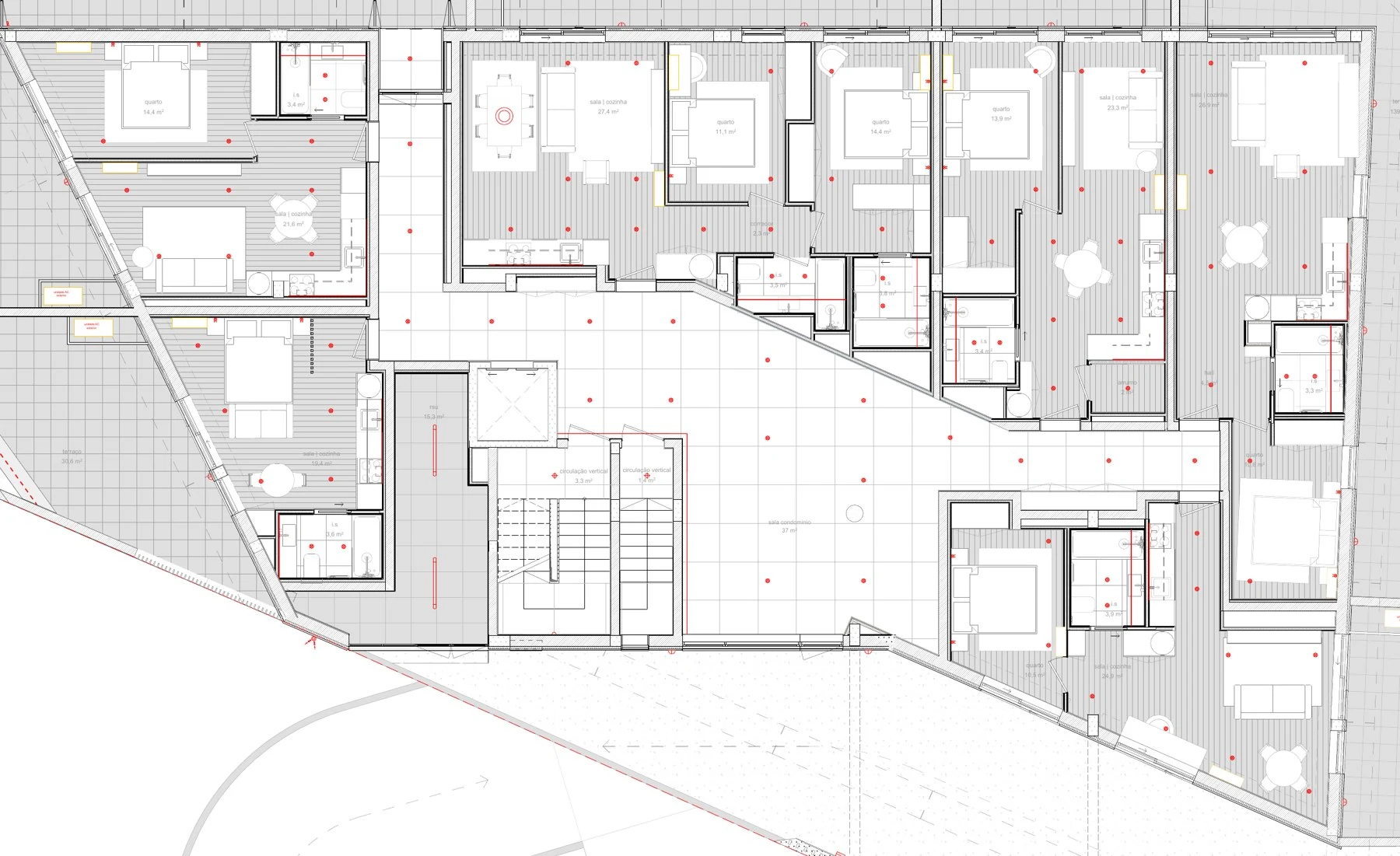
Plan vs. as-built
Find deviations from the plan while they are still cheap – with a PDF plan or BIM.
• Recesses before concreting• Wall offset, opening too narrow• Check before closingTo the vision →
Proof of work and billing
Interim invoices with evidence, subcontractor quantities checked, take-off without a folding rule.
• Interim payment application with evidence• Assign bill-of-quantities itemsSee the cases →
Site documentation
Site walks with voice, defects to subcontractors, plans, reports – on WhatsApp too.
• Defects through to the subcontractor• Notice of disruption backed by evidence• Construction site via WhatsAppSee the cases →How it works
Walk, talk, done.
Whoever walks the site anyway captures everything as they go. Plonda turns it into shared 3D documentation – and that into evidence.
Walk the site
With the 360° camera on a helmet or a pole, for example Insta360 or DJI Osmo 360. Just say defects and notes out loud as you go.
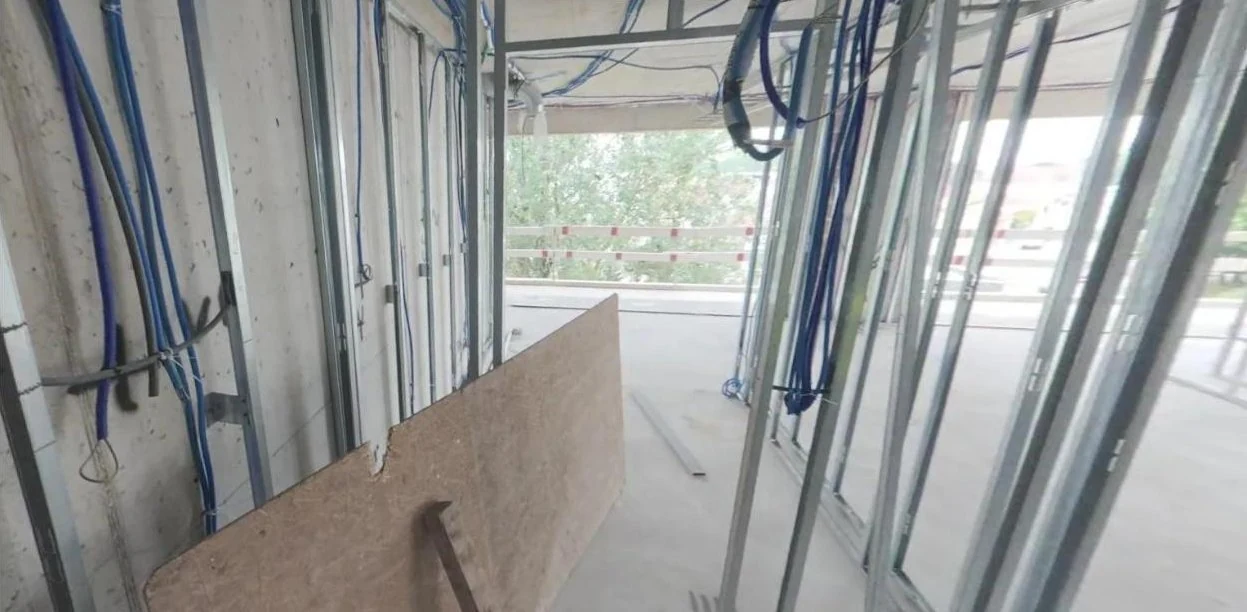
Plonda processes it
The video becomes a 3D model, a 360° tour and located entries. People can be made unrecognisable on request.
Use the evidence
Compare, measure, send defect reports and substantiate interim payment applications – in the browser, without installing anything or returning to site.

App for iPhone and Android
Your construction site in your pocket – even offline.
Start a walkthrough, locate defects on the plan and take plans offline. Everything goes into the same project used in the office.


Civil engineering too
From the floor to the trench.
Plonda does not only document buildings. In pipeline construction and earthworks too, every capture gets a place, a date and a quantity.
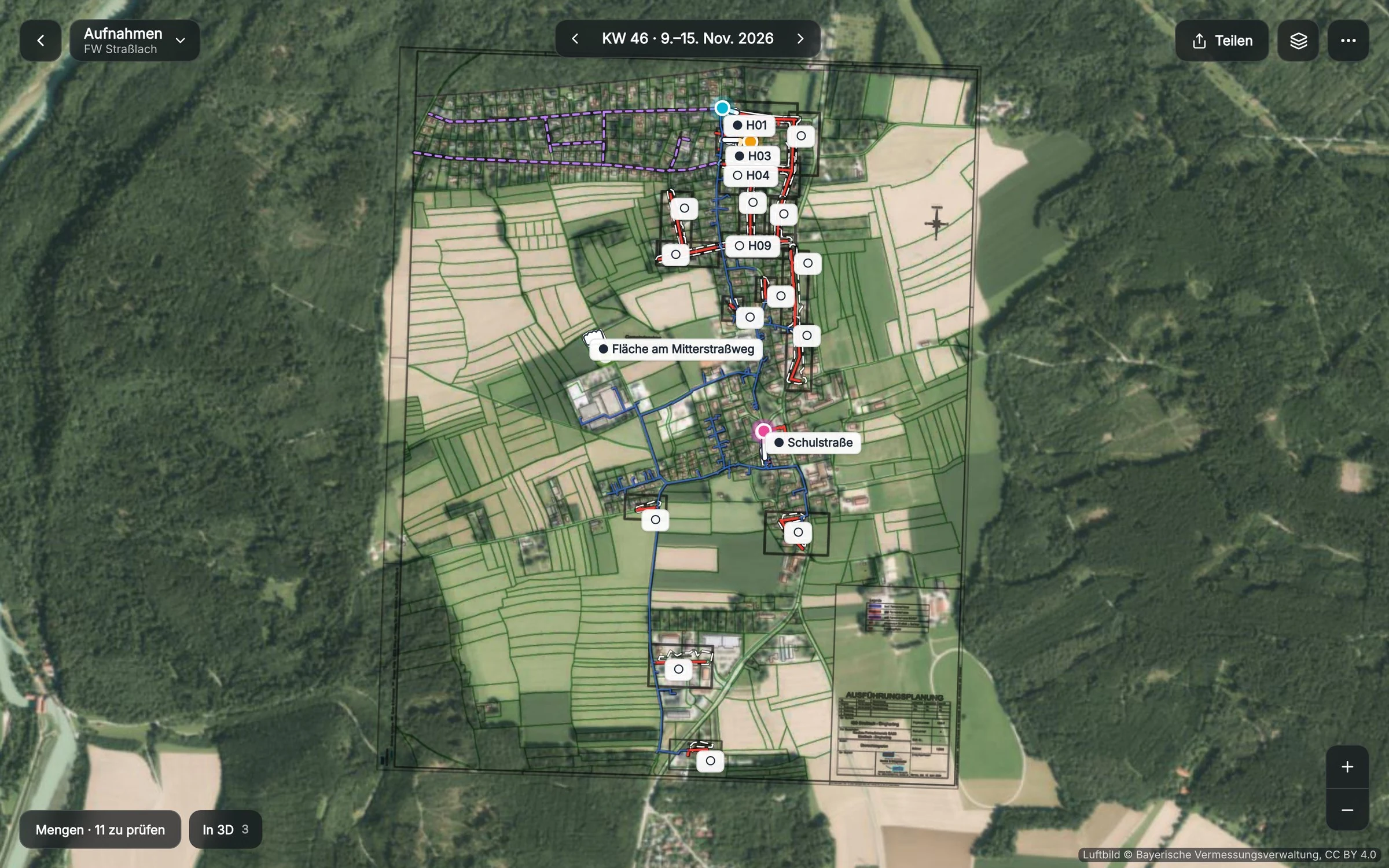

Pipeline routes from the plans
ComingThe pipelines from your plans sit on the aerial image, accurate to about one metre. Every site walk is tied to its place.
Quantities from the site walk
ComingExcavation in cubic metres, shoring and pipes in metres, every row with a review status. You check the figures before they go into the interim payment application.
Missed on the formwork – found before the concrete pour.
Walk the completed formwork and compare it with the electrical plan: two ceiling outlet boxes are missing. Fit them in ten minutes instead of chiselling, drilling and rerouting cables later.
Example construction site
Walk through a construction site yourself.
In use
Working in Germany and Portugal.
“A 30-minute walkthrough gives me a complete list of tasks, defects and documentation, sorted by trade. I can measure everything in 3D and refer to it at any time if there is a dispute.”

Project Manager, campus Ingenieurgesellschaft mbHRead the case study →
“With Plonda I go back in the walkthrough to the day the work was carried out and measure it. That ends most discussions before they begin.”

CLK – Construção e Engenharia, translatedRead the case study →


Integrations
Your project data. Where you work.
Plonda connects to your existing systems – evidence stays linked, and nobody copies it by hand.
All integrations → Microsoft 365



Frequently asked questions
What site managers ask us first.
Do I need a BIM model?
No. Plonda works with the 360° walkthrough and your PDF plans. You can add an IFC model on top.
Is there an app?
Yes, for iPhone and Android. Pilot partners are already using it; it will be available in the App Store and on Google Play soon. Plans and tasks are available offline too. Plonda works in your browser without installation.
Which camera do I need?
A standard 360° camera costing around €400, such as Insta360 X5 or DJI Osmo 360 – on your helmet or a pole. No other equipment is needed.
What happens to people in the video?
People in the video are automatically made unrecognisable depending on your settings.
Does my subcontractor have to install an app?
No. They receive tasks via WhatsApp or email with a link and reply directly there – without an app or login.
Where is my data processed?
In data centres in Europe. Upon request, we keep your data in a specific country, such as Germany or Switzerland.
What does Plonda cost?
This depends on the number of projects and walkthroughs. We discuss the price in a short conversation, suitable for your project.
See Plonda on your project.
Send us a walkthrough – we will show you the result on your own site.